Bilingua Reader app iconBilingua Reader

Read in the language you are learning, with every sentence translated underneath

Bilingua Reader is an Android EPUB and PDF reader for language learners. Open any book and keep reading: the translation sits under each sentence, and any word you pick can go straight to flashcards or Anki.

Free to try for 14 days, then one payment to unlock. No subscription, no ads.

  • EPUB and PDF
  • Offline translation
  • 59 languages
  • No account
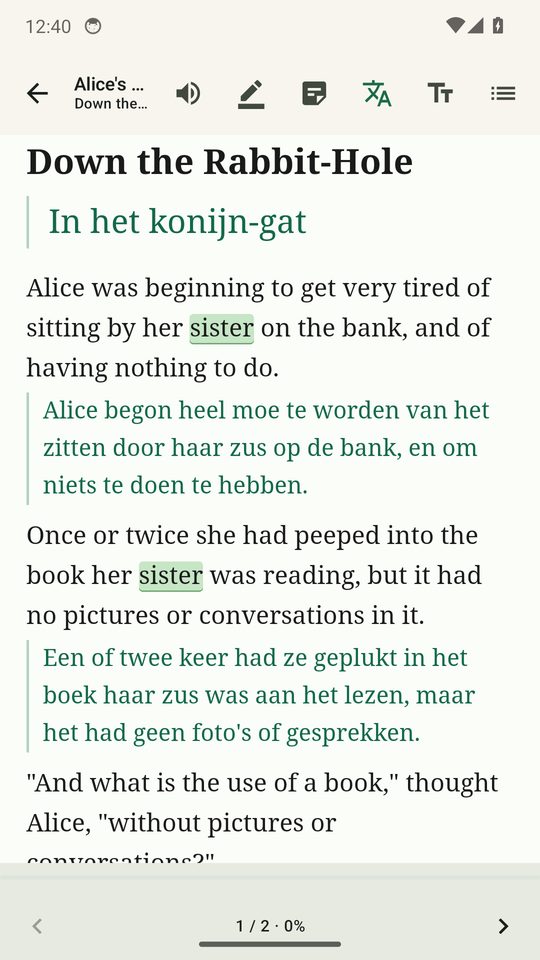
Bilingua Reader showing Alice in Wonderland in English with the Dutch translation under each sentence

What it does

A reader first, built for people who learn a language by reading real books.

Every sentence, translated underneath

Each sentence of your EPUB or PDF appears with its translation directly below it, on its own line or on the same line, or hidden until you tap it. Translation runs on your device by default, with offline packs for 59 languages.

Look up and save words as you read

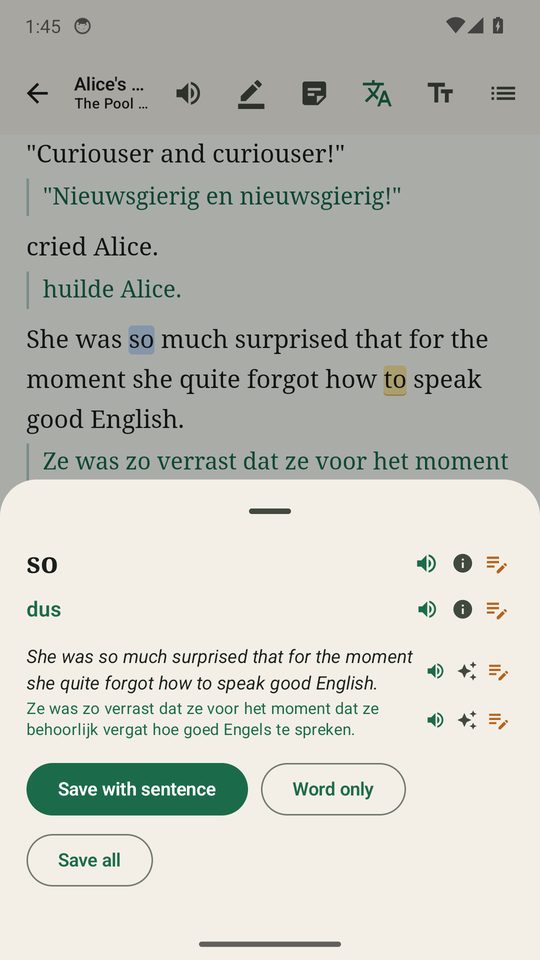
Long-press a word to see its meaning, the sentence it came from and that sentence translated, with pronunciation on tap. Double-tap to save it. Saved words are highlighted in every book and turn green once you know them.

Flashcards and Anki

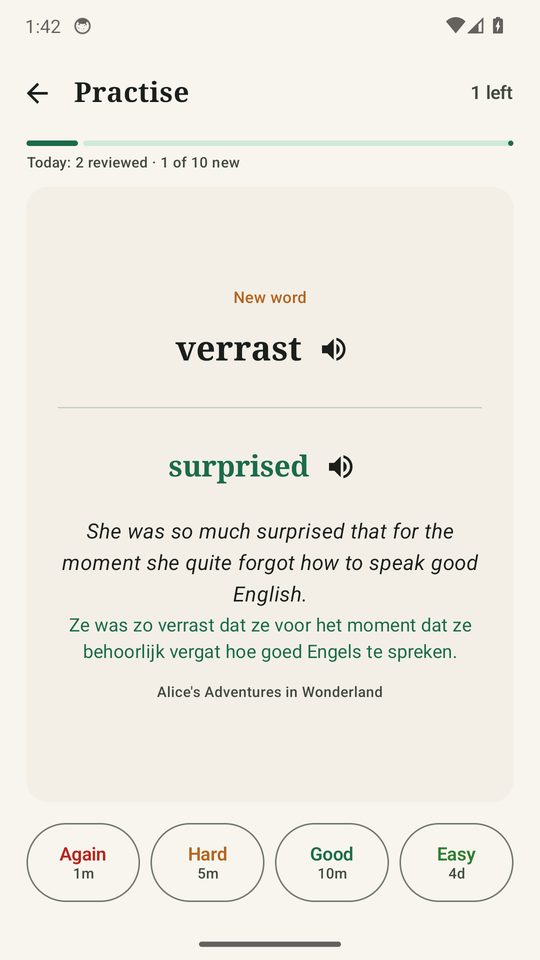
Built-in spaced repetition (Again, Hard, Good, Easy) with a daily target you choose. Or send words and sentences to AnkiDroid as recognition and recall cards with spoken clips, with sync in both directions.

Read aloud and focus mode

Hear the book read sentence by sentence in the language you are learning, even with the screen off. Focus mode, which is opt-in, dims everything except the paragraph you are on, loosens the text spacing and nudges you to take breaks.

Your library, on every device

Optional Google Drive sync keeps books, words, notes and reading positions together in your own Drive. Reading positions also sync with calibre, Calibre-Web Kobo sync, KOReader and Hardcover, and you can browse OPDS catalogs such as Project Gutenberg.

Private by design

No ads, no account and no tracking. Offline translation never leaves your device, API keys are encrypted with the Android Keystore, and the app tells you plainly what an online provider receives if you choose one.

See it in use

Screenshots from the app, reading the bundled sample book.

Bilingua Reader showing an English book with the Dutch translation under each sentence
Translation under every sentence
Word lookup sheet with the translation, the sentence and buttons to save the word
Look up and save a word
A flashcard with Again, Hard, Good and Easy buttons
Built-in flashcards
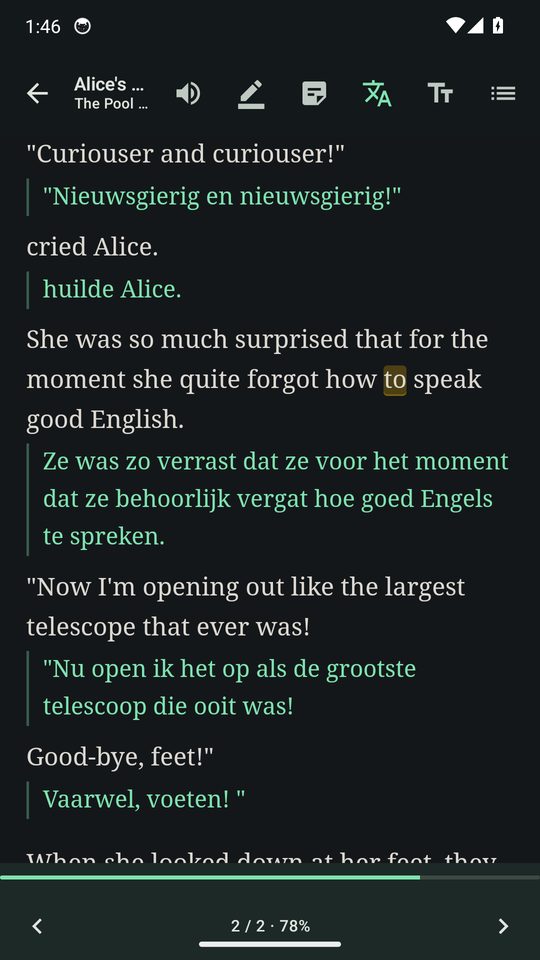
The reader in dark mode with green translated lines
Dark mode for night reading

Good to know

Translation your way

Offline packs are the default and free. If you want more fluent output you can switch to Google Translate, DeepL, MyMemory, Azure AI Foundry, OpenRouter or your own LibreTranslate server in Settings. Every translation is cached per book, so a book is only translated once.

Fair pricing

Try everything free for 14 days from the first launch, with up to two books of your own. Then unlock once and keep it. The two bundled starter books and the in-app guide never count toward the two-book limit during the trial. The price is shown in Google Play for your country.

Questions and answers

Short answers about price, privacy and what the app can open.

Is Bilingua Reader free?

It is free to download and free to try. You get 14 days with everything unlocked, including up to two books of your own. After that you unlock it once with a single payment through Google Play. There is no subscription, and the purchase belongs to your Google account, so it follows you to a new phone.

Does it work offline?

Yes. By default translation runs on your device with downloadable language packs, so nothing you read is sent anywhere and it works without a connection. You download each pack once. Online translation providers are optional.

Which languages are supported?

The offline packs cover 59 languages, and the Languages screen shows what is already on your device. Online providers such as Google Translate, DeepL, MyMemory, Azure AI Foundry, OpenRouter or your own LibreTranslate server can be switched on in Settings if you want more fluent output.

Which files can I open?

EPUB books and PDFs. A PDF is re-flowed into readable text so sentence translation works there too. DRM-protected books cannot be opened, and a scanned PDF without a text layer cannot be translated because the app has no OCR.

Does the app show ads or track me?

No. Bilingua Reader contains no advertising and no analytics or tracking software. It needs no account, and the developer runs no server that receives your reading. See the privacy policy for the details.

What happens to the text I read?

With the default offline translation it stays on your device. If you choose an online provider, the sentence being translated goes directly from your device to that provider using a key you supply, and the app tells you so before you switch. Optional sync stores your data in your own Google Drive.

Can I send words to Anki?

Yes. Saved words and sentences can go to AnkiDroid as ready-made cards, with spoken clips on both sides, and the sync runs both ways. Without AnkiDroid you can export an Anki-ready file. The app also has its own flashcards with spaced repetition.

Is this the same app as Lingua Reader?

Yes. Lingua Reader was renamed Bilingua Reader in version 5.0. Your library, saved words, notes and settings were kept. On Google Play the listing is called Bilingua: Bilingual Books EPUB.

Is there an iPhone version?

Not at the moment. Bilingua Reader is an Android app, available on Google Play.
Start reading in a minute

The app comes with two short starter books and a guide, so you can see translations working straight after installing.